
Delete duplicate photos on iPhone: Vault Trash and Duplicate Detection
If you want to delete duplicate photos on your iPhone without deleting the wrong one, Infinite Vault gives you two tools for everything inside your Vault. Duplicate Detection finds identical copies and only suggests. Every Item you delete goes to Vault Trash, where it waits 30 days before it is gone for good.
- You need
- Infinite Vault, unlocked, with some Items in it.
- Plan
- Vault Trash is free. Duplicate Detection is an Ultima feature.
- What it checks
- Items inside your Vault, not the Photos app.
On this page
How to find duplicates and use Vault Trash in Infinite Vault
-
1. Open Find Duplicates and scan
Go to Settings and tap Find Duplicates under Tools, then tap Scan. The page explains the rule: photos, videos and files that are byte for byte identical. Nothing is deleted without you.
-
2. Read the results
After the scan you see how much space can be freed and how many Items. There is one card per kind, each with four previews: Identical photos, Identical videos, Identical files and Identical audio. Tap Review all.
-
3. Review each group
You see one group at a time, and the app has already picked the best shot to keep. A strip shows the whole group with Keep or To Trash on each Item, and how much space it frees. Change any mark you disagree with, then tap Next group, or Keep all to leave a group alone.
-
4. Open Vault Trash
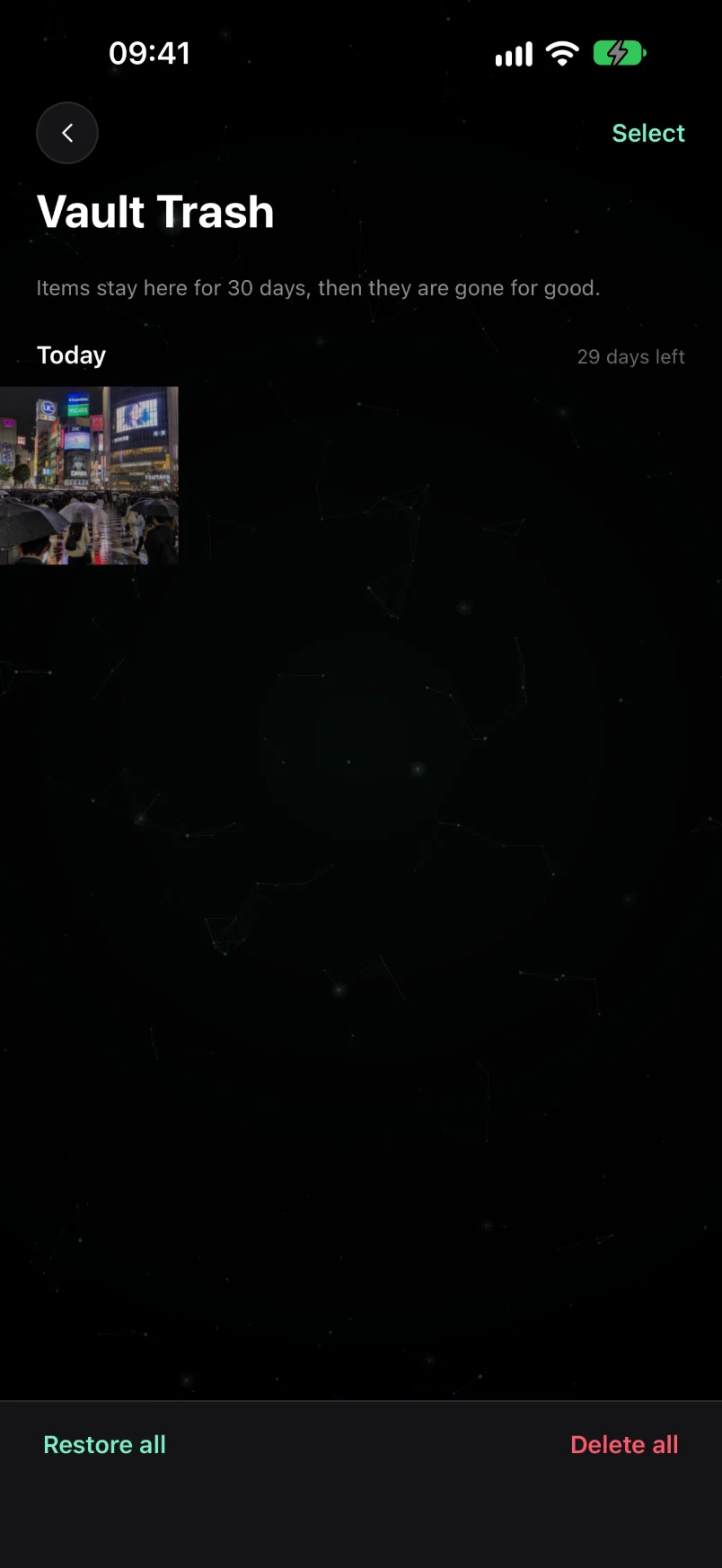
Items you send to the trash are not gone yet. Open Vault Trash from Settings under Tools, or from the end of the Collections list. It says: Items stay here for 30 days, then they are gone for good. Items are grouped by the day you deleted them, with N days left on the right, in amber when fewer than 7 days remain.
-
5. Restore or delete for good
Tap Restore all to put every Item back where it came from. To choose, tap Select, pick the Items, then restore or delete just those. Delete all asks first: “Delete everything in Vault Trash? This cannot be undone.”
Keep in mind
Features in this guide
If something goes wrong
I deleted something by mistake.
Open Vault Trash within 30 days. Tap Restore all, or Select the Items you want, and they go back where they came from. After 30 days they are gone for good.
Vault Trash in FeaturesFind Duplicates flags a copy that I want to keep.
Leave Keep on each Item, or tap Keep all for that group. Nothing is deleted without you.
Duplicate Detection in FeaturesIt did not find duplicates that I know are there.
If they sit in a locked Collection, unlock it and scan again. Videos and files are offered only when they are identical byte for byte, and the scan covers the Vault, not Photos.
Organise with CollectionsFind Duplicates is switched off.
Duplicate Detection is an Ultima feature. When a plan ends, paid features switch off and nothing in your Vault is deleted. Vault Trash stays free.
See the Ultima planQuestions
What does each plan include and cost?
Free holds up to 100 photos, 10 videos and 4 Collections. Ultima has no limits and adds the features tagged Ultima. It costs ฿79 a week, ฿699 a year with 14 days free, or ฿1,490 once.
What happens when my plan ends?
The app drops to Free. Nothing is deleted: Items and Collections over a limit stay open, you just cannot add more, and the Ultima features switch off.
Related guides
- Hide photos and videos: ImportDuplicates often arrive with an Import, so scan after a big one.
- Organise with CollectionsLocked Collections are left out of the scan until you unlock them.
- Back up your Vault to your computerA Backup keeps a copy of your Vault on your own computer.
- Duplicate Detection in FeaturesThe short description next to the other features.