
Photo vault recovery: forgot or want to change your passcode?
If you forgot your passcode, you do not lose your Vault. This is the photo vault recovery path: verify with Face ID or your Seed phrase, choose a new Vault Passcode, and everything inside stays where it was. The same page shows how to change your passcode on purpose.
- You need
- Face ID switched on, or the Seed phrase you set during setup.
- Plan
- Free.
- The one limit
- If you forgot both the Vault Passcode and the Seed phrase, nobody can open the Vault, not even us.
On this page
Photo vault recovery: reset a forgotten passcode
-
1. Tap Forgot your lock?
On the lock screen, tap Forgot your lock?, under the Face ID button. You can use it while you are waiting after wrong tries too.
-
2. Verify with Face ID or your Seed phrase
The page shows three steps: Verify, Choose type and Repeat. If Face ID is on, use it. Otherwise enter your Seed phrase. Three dots show how many tries you have left before a wait. A wrong Seed phrase counts toward the same wait as a wrong Vault Passcode.
-
3. Choose the new type
Pick PIN, Password or Pattern. It can be the same type as before or a different one. The one you use now is marked Now in use.
-
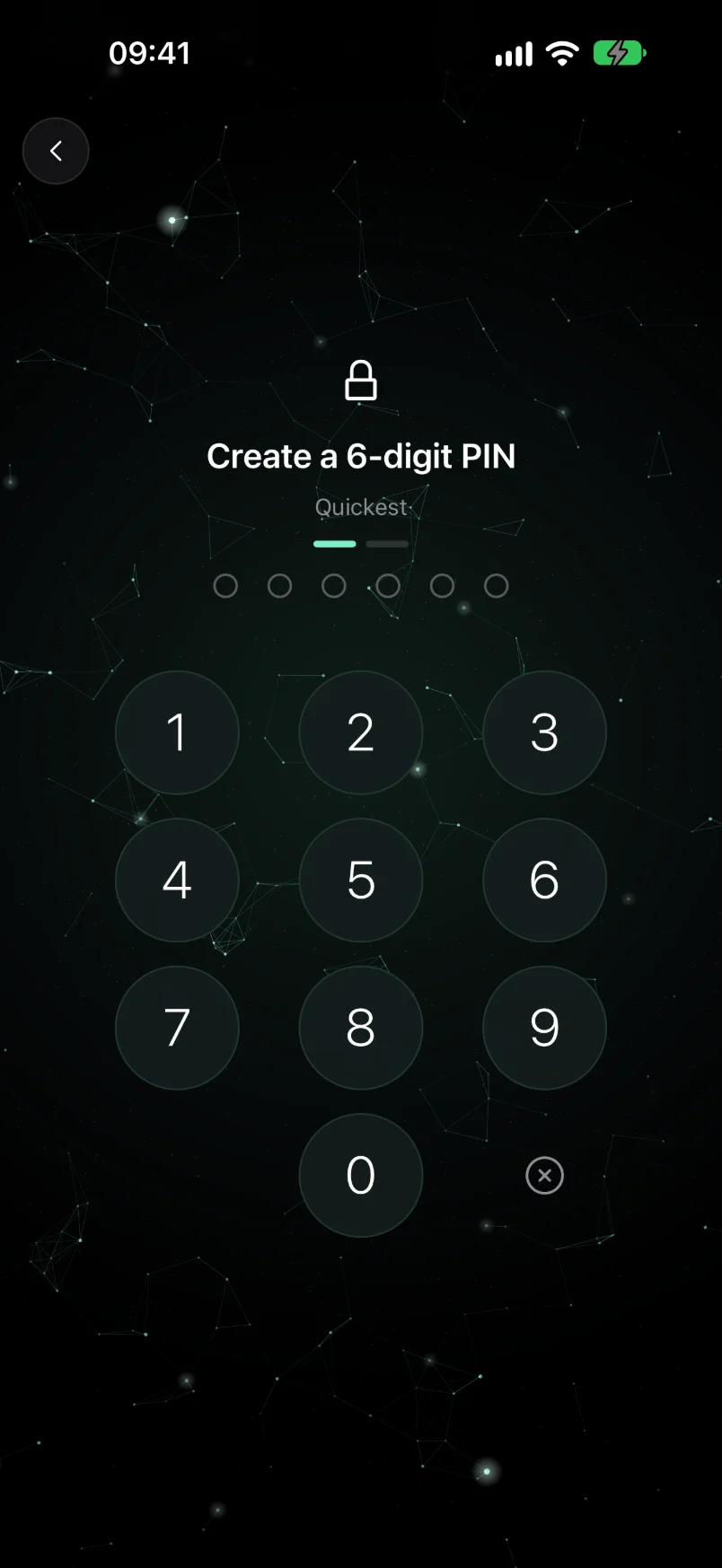
4. Enter the new passcode twice
Enter the new Vault Passcode, then enter it again to confirm. Your Face ID setting, your Seed phrase and everything in the Vault are untouched.
-
5. Or change it on purpose in Settings
Open Settings, then Passcode, and enter your Vault Passcode. You see four layers: Vault Passcode, Face ID, Seed phrase and Decoy Passcode. Tap Change next to Vault Passcode to pick a new type and set it.
-
6. Make a new Seed phrase
On the same page, tap Change next to Seed phrase. If your Vault has Collections, enter the current Seed phrase first. The app shows 9 new words: write them down and type 3 of them to confirm. Do this while you still know your Vault Passcode.
Keep in mind
Features in this guide
If something goes wrong
I am locked out and waiting.
The Seed phrase still works during the wait. Tap Forgot your lock? and use it. Wrong Seed phrases count toward the same wait as wrong Vault Passcodes.
I forgot my Seed phrase too.
If Face ID unlock is on and works, use it in step 2. If you have no way to verify, nobody can open the Vault, not even us. The app keeps no copy on any server.
My new Seed phrase is not accepted.
Type the 3 words it asks for, in the right places. If one does not match, tap See the words again.
I only want to switch from a PIN to a Pattern.
You do not need to reset anything. Go to Settings, then Passcode, then Change next to Vault Passcode.
Common questions
I forgot my Vault Passcode. What now?
Tap Forgot your lock? on the lock screen. Verify with Face ID if it is on, or with your Seed phrase. Then choose a new type and enter the new Vault Passcode twice. Nothing in the Vault changes.
I forgot my Seed phrase.
If you still know your Vault Passcode, make a new Seed phrase in Settings, under Passcode. If you have forgotten both, nobody can open the Vault, not even us, because there is no server holding a copy.
What happens after wrong attempts?
After 3 wrong attempts in a row you wait 10 minutes, after 4 you wait 30 minutes, after 5 one hour, and after 6 and every one after that two hours. A correct unlock resets the count.
Related guides
- How to lock photos on iPhone with Face ID, a PIN or a PatternTurn on Face ID so a reset is one glance away.
- Photo vault for iPhone: first-time setupWhere you set the Seed phrase in the first place.
- Back up your Vault to your computer and restore on a new phoneA Backup opens only with the Seed phrase.
- Seed phraseWhat it can reset and what it cannot.